
What Is a Court Docket in Sussex County
A docket is the official, time-ordered log of events in a court case. Each line is a docket entry. Sussex County dockets cover filings, scheduling orders, motions, hearings, judgments, liens, satisfaction entries, writs, capias notes, and final dispositions. Every Sussex court keeps its own docket, but the data flows into one common public-facing system run by the Delaware Judiciary.
The Sussex courts do not run separate "district court" dockets. Delaware has no county district court. The closest equivalent in Sussex is the Superior Court docket, which sits at the Sussex County Courthouse on The Circle. Family Court, Common Pleas, Chancery, and the five Sussex Justice of the Peace Court locations each contribute their own docket entries into the statewide case database.
How to Find Sussex County Court Dockets Online
The official Sussex County court docket search runs through the CourtConnect docket report. The docket report requires the exact Case ID. A user who does not have a Case ID has to find it first through the person, business, or case type search before returning to the docket report form.
Case IDs in Sussex County may look different from one court to another. Format varies by court division and year. The docket report can also accept an optional docket filing start date and end date to narrow long histories. Dates use DD-MON-YYYY format, the same as the rest of CourtConnect.
- Open the CourtConnect main page and read the disclaimer. The data is not for official use and is provided as is.
- If the Case ID is not known, use the person, business, or case type search to find the case. Enter the last name or company name in the required field and add any filtering details.
- Copy the Case ID exactly as displayed in the result list. Case IDs in Sussex County include letters, numbers, and sometimes separators that must be entered the same way.
- Open the docket report form. Paste the Case ID into the required field.
- Optionally add a Docket Filing Start Date and Docket Filing Ending Date. Use the DD-MON-YYYY format, for example 01-JAN-2026.
- Click Submit. The docket report displays the chronological list of entries for that case.
- For documents that the docket lists but does not display in full, contact the court clerk for that file in Georgetown.
The Sussex County Docket Report Form
The Delaware Judiciary publishes the docket report form on the CourtConnect docket report search page, which is the live entry point for any Sussex County court docket lookup by Case ID.
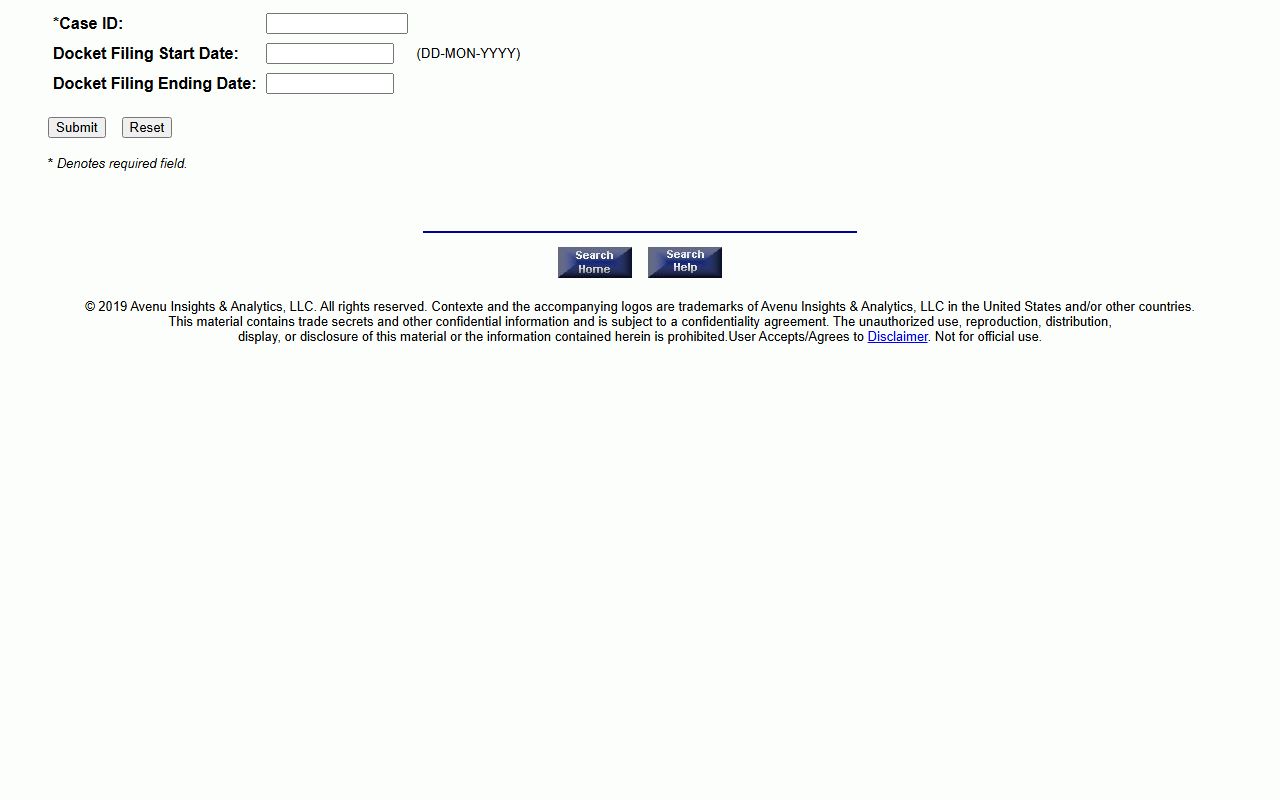
The form is short on purpose, but the Case ID field is strict and a typo will return nothing, so users should copy the ID directly from the search results page.
Sussex County Docket Report Search Fields
The docket report form has only three input fields and two buttons. Each one matters. The Case ID field is required, the date fields are optional, and the date format is the single most common point of user error.
| Field Label | Type | Required | Notes / Format |
|---|---|---|---|
| Case ID | Text | Yes | Up to 15 characters. Enter the exact Case ID from the person, business, or case type search results. |
| Docket Filing Start Date | Date | No | Format DD-MON-YYYY, e.g., 01-JAN-2026. Narrows long dockets. |
| Docket Filing Ending Date | Date | No | Same DD-MON-YYYY format. Use with start date for a defined window. |
| Submit | Button | n/a | Generates the docket report. |
| Reset | Button | n/a | Clears the form. |
Note: CourtConnect dates use a three-letter month abbreviation rather than a numeric month, so 01-01-2026 will fail and 01-JAN-2026 will work.
Sample Sussex County Docket Entry
Every docket entry on a Sussex County case follows a similar structure. The entry shows when something happened, who acted, what was filed or ordered, and where the document lives. The table below maps the common fields shown in a CourtConnect docket report.
| Field | What It Shows |
|---|---|
| Entry Date | The calendar date the event was logged into the case. |
| Event Type | A short label such as Motion Filed, Order Entered, Hearing Held, Capias Issued, or Judgment Entered. |
| Party Filing | The plaintiff, defendant, petitioner, respondent, attorney, judge, or court that triggered the entry. |
| Docket Text | A one or two-line description of the filing or event. |
| Document Reference | An internal pointer to the filed document, which may or may not be viewable online. |
| Disposition Code | The outcome label when an entry resolves a charge, claim, or motion. |
Sussex Courts That Publish Dockets
Every primary trial court in Sussex County feeds CourtConnect. Most public-facing docket activity sits in Superior Court, Court of Common Pleas, and Justice of the Peace Court. Chancery dockets are public but cover specialized equity matters. Family Court dockets exist but many of their entries are not viewable online because of privacy and juvenile rules.
- Superior Court Sussex County publishes dockets for felonies, civil complaints, judgments, liens, and appeals from Common Pleas, Family Court criminal cases, and state agencies.
- Court of Common Pleas publishes dockets for misdemeanors, civil cases up to $75,000, felony preliminary hearings, and Justice of the Peace appeals.
- Justice of the Peace Court 14 in Georgetown publishes criminal and DUI dockets, and JP Courts 2, 3, 4, and 17 publish their own civil and criminal entries.
- Court of Chancery Sussex publishes dockets for trusts, fiduciary disputes, guardianships, and corporate equity matters.
- Family Court Sussex publishes limited public docket data, with detailed access controlled by Family Court privacy rules.
Docket vs. Full Sussex County Case Record
A Sussex County court docket is a list of events. A full case file is the underlying paper, with motions, exhibits, orders, transcripts, and any sealed material. CourtConnect returns dockets. It does not promise free document PDFs, and its disclaimer warns that the docket report is not for official use. Full case access often runs through the clerk in person.
| Docket | Full Case Record | |
|---|---|---|
| Format | List of dated entries | Filed documents, motions, exhibits, orders |
| Access | Free online through CourtConnect | Often requires clerk request, in-person review, or copy fee |
| Use | Track case progress, hearings, appeals | Legal review, evidence work, certified filings |
| Certification | Not certified, not for official use | Certified copies available from clerk |
How to Read a Sussex County Docket
Docket entries use short codes and abbreviations to save space. Common Sussex County entries include MOTN for motion, ORD for order, HRG for hearing, JDGT for judgment, CAP for capias, DISM for dismissed, and SAT for satisfaction of judgment. Civil contempt and capias entries fall under CourtConnect's M6 case type when the contempt is filed as its own matter rather than logged inside a parent case.
Disposition codes describe how a charge or claim ended. Common terms include dismissed with prejudice, dismissed without prejudice, nolle prosequi, judgment for plaintiff, judgment for defendant, plea of guilty, plea of no contest, found guilty, acquitted, and continued for sentencing. A docket may show several dispositions in one case if a defendant faces multiple charges or if a civil complaint has several counts.
A docket entry that references a sealed document will show that the document exists without showing its content. Juvenile, adoption, family protection, mental health, and sealed criminal entries follow this pattern. The docket is still public; the underlying paper is not.
Delaware Civil Case Search and Sussex Dockets
The Delaware Judiciary docket page links the statewide civil case search tools used to pull Sussex County court dockets across multiple courts in one place.
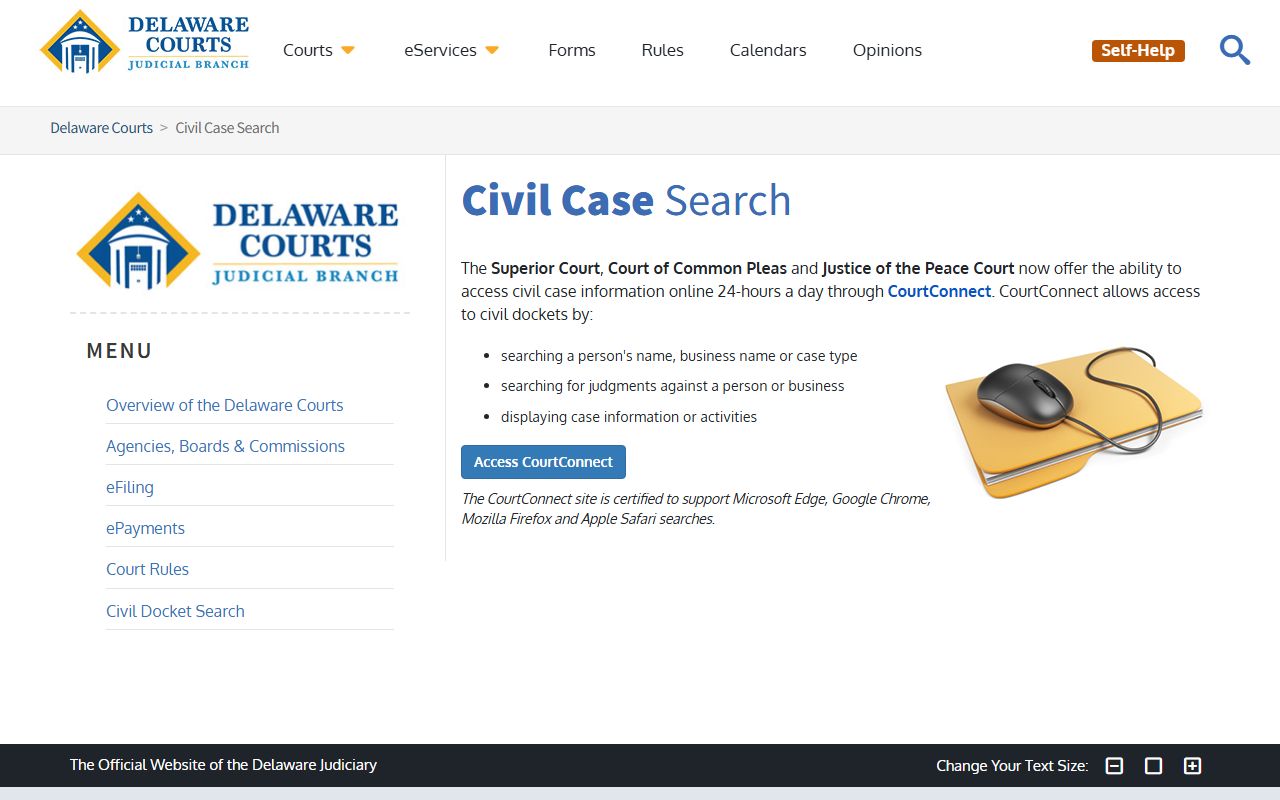
The page sets the practical expectation that docket data is public, but the related court rules and disclaimers still apply to every Sussex County case ID pulled through the system.
Appeals and Case Movement on the Docket
A Sussex County case docket usually shows when a case moves up. A Justice of the Peace civil or criminal matter normally appeals to the Court of Common Pleas, with truancy juvenile contempt going to Family Court in some instances. A Common Pleas appeal goes to Superior Court. A Superior Court judgment, a Chancery final order, and most Family Court civil and juvenile matters go to the Supreme Court of Delaware.
When a case moves, the new court usually opens its own Case ID. A user tracking an appeal should pull both the original lower court docket and the new appellate docket. The CourtConnect disclaimer still applies on the appellate side.
Sealed and Restricted Sussex Dockets
Some dockets are restricted. Juvenile Family Court matters, adoption cases, child custody where no criminal complaint is at issue, sealed criminal dockets after expungement, sex offense protective order details, and mental health and involuntary commitment proceedings are limited under Delaware court rules and 29 Del. C. Chapter 100 exemptions. A docket entry may not appear in CourtConnect even when the underlying case existed.
Note: A blank result on CourtConnect does not always mean there is no case, and restricted Sussex dockets often require an in-person clerk request, attorney inquiry, or court order to confirm.